Effortlessly Convert Web Apps to Cross-Platform Desktop Apps with Electron
Discover the power of Electron in converting web apps to cross-platform desktop apps with ease.
Unlock the Potential of Electron for Cross-Platform Desktop Apps
As a developer, you're likely familiar with the benefits of web apps – they're easily accessible, require minimal maintenance, and can be used by anyone with an internet connection. However, there are instances where you might want to take your web app to the next level by converting it into a cross-platform desktop app. This is where Electron comes into play.
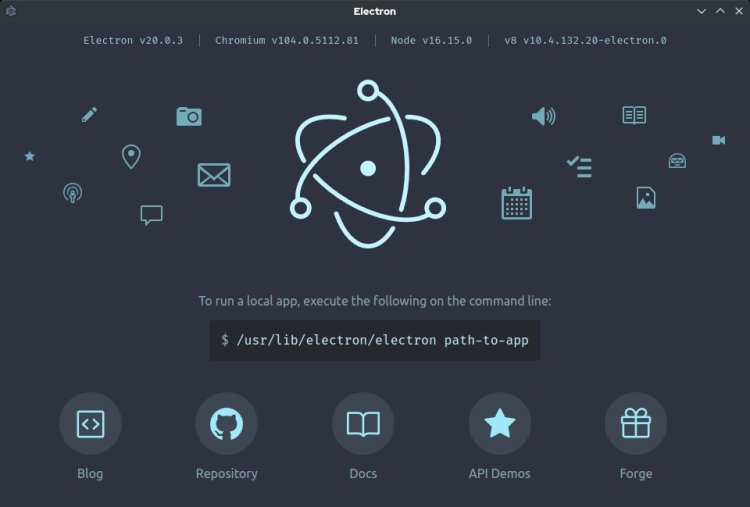
Electron is an open-source framework developed by GitHub, which allows you to build cross-platform desktop apps using web technologies like HTML, CSS, and JavaScript. By leveraging Electron, you can create a desktop app that runs on multiple platforms, including Windows, macOS, and Linux, without requiring significant modifications to your codebase.
One of the primary advantages of Electron is its ability to simplify the conversion process. Since web apps are built using web technologies, Electron can easily integrate with your existing codebase, allowing you to create a desktop app with minimal effort. Additionally, Electron provides a range of tools and libraries that can help you enhance your app's performance, security, and user experience.
So, how do you get started with Electron? The process is relatively straightforward:
- Choose a suitable framework or library, such as Electron Builder or Electron Packager, to help you create a desktop app.
- Install the necessary dependencies, including Electron, using npm or yarn.
- Modify your web app's code to include Electron-specific features, such as the creation of a desktop app's main window, menu, and tray.
- Test and debug your app to ensure it runs smoothly across multiple platforms.
When converting your web app to a cross-platform desktop app with Electron, there are several factors to consider:
- Performance: Electron apps can be resource-intensive, so it's essential to optimize your app's performance to ensure smooth operation.
- Security: As with any desktop app, security is a top priority. Make sure to implement robust security measures to protect your users' data and prevent potential vulnerabilities.
- User Experience: A well-designed user interface and user experience can make a significant difference in your app's adoption and user engagement.
By following these best practices and leveraging the power of Electron, you can create a cross-platform desktop app that meets the needs of your users while also enhancing your app's overall value proposition.
In conclusion, Electron is an excellent choice for converting web apps to cross-platform desktop apps. Its ease of use, flexibility, and extensive community support make it an attractive option for developers looking to take their web apps to the next level. Whether you're building a simple productivity tool or a complex enterprise app, Electron can help you create a desktop app that runs smoothly across multiple platforms.
So, what are you waiting for? Get started with Electron today and unlock the full potential of your web app!
What's Your Reaction?