Web Accessibility: Building Inclusive Web Experiences for All Users
Learn how to create inclusive web experiences with web accessibility best practices. Discover the importance of WCAG and ADA compliance, tools, and strategies for building accessible websites.
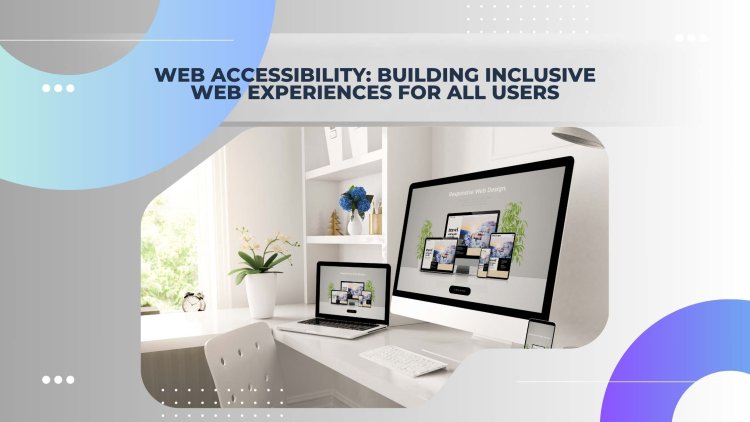
In today’s digital-first world, web accessibility is no longer optional—it’s essential. Creating inclusive web experiences ensures that everyone, regardless of their abilities or disabilities, can access and interact with your website. From improving user experience to complying with legal standards, web accessibility is a critical aspect of modern web design.
What is Web Accessibility?
Web accessibility refers to the practice of designing and developing websites that are usable by people of all abilities. This includes individuals with visual, auditory, motor, or cognitive impairments. Accessibility ensures that everyone can perceive, understand, navigate, and interact with the web.
Why is Web Accessibility Important?
1. Inclusivity: Accessibility ensures that no one is excluded from accessing information or services online.
2. Legal Compliance: Many countries have laws requiring web accessibility, such as the Americans with Disabilities Act (ADA) in the U.S. and the Web Content Accessibility Guidelines (WCAG) globally.
3. Improved User Experience: Accessible websites are often more user-friendly for everyone, not just people with disabilities.
4. SEO Benefits: Many accessibility practices, like using alt text for images, also improve search engine optimization (SEO).
Key Principles of Web Accessibility
The WCAG outlines four core principles for web accessibility:
1. Perceivable: Information and user interface components must be presented in ways users can perceive (e.g., text alternatives for images).
2. Operable: Users must be able to navigate and interact with the interface (e.g., keyboard accessibility).
3. Understandable: Content and navigation must be clear and easy to understand.
4. Robust: Content must be compatible with current and future user tools, including assistive technologies.
Practical Tips for Building Accessible Websites
1. Use Semantic HTML: Properly structure your content with headings, lists, and landmarks to assist screen readers.
2. Add Alt Text to Images: Provide descriptive alt text for all images to ensure they’re accessible to visually impaired users.
3. Ensure Keyboard Navigation: Make sure all interactive elements are accessible via keyboard.
4. Choose Accessible Color Schemes: Use sufficient color contrast and avoid relying solely on color to convey information.
5. Test with Assistive Technologies: Regularly test your website with screen readers and other accessibility tools.
Accessibility Tools and Resources
1. WAVE: A web accessibility evaluation tool to identify issues.
2. AXE: A browser extension for testing accessibility.
3. Screen Readers: Tools like JAWS, NVDA, and VoiceOver to test how your site sounds to users.
4. Color Contrast Checkers: Tools like WebAIM’s Contrast Checker to ensure readability.
Conclusion
Web accessibility is a cornerstone of inclusive design. By following best practices and leveraging the right tools, you can create websites that are accessible to all users. Not only does this promote inclusivity, but it also enhances user experience and ensures compliance with legal standards. Start building accessible web experiences today to make the internet a better place for everyone.
What's Your Reaction?